Features

Move your music to LUCY and keep your song codes

In short

  1. 1Moving from another distributor?
  2. 2Bring your songs with their codes.
  3. 3Go in order, so they never leave the stores.
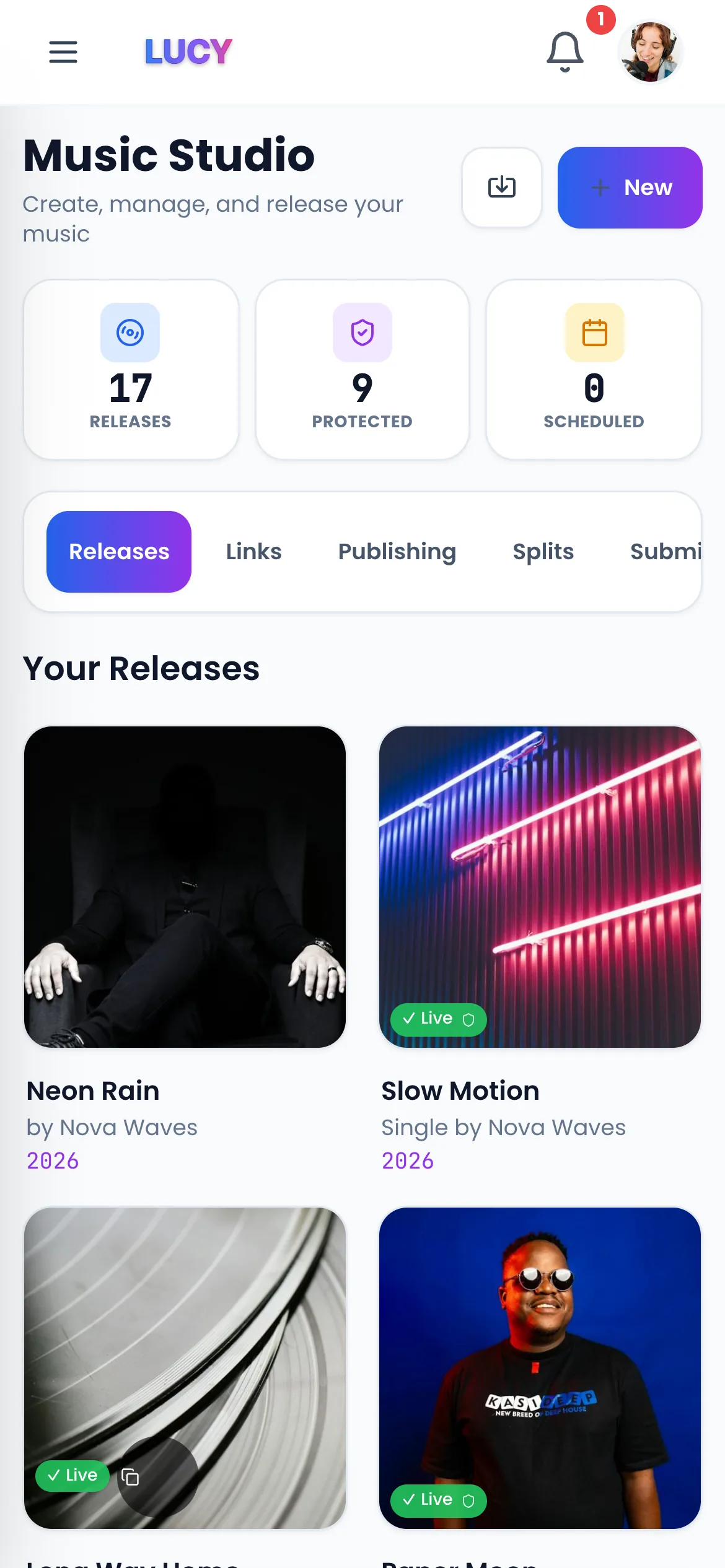
The LUCY Studio: your releases, codes and payouts

Keep your song codes

Every track has an ISRC and every release a UPC. Bring the same codes, titles, artist names and audio, and stores can match the new release to the old one. That is how plays and playlist places usually carry over. The stores decide, so no distributor can promise it.

  • Same ISRC and UPC codes
  • Same titles, artist names and audio
  • Stores usually keep plays and playlists

Find your released songs fast

In Studio, Import Releases finds songs that are already in stores and brings each one in as a draft, with the ISRC and UPC filled in. Check every detail against your old account, then send it.

  • Search by artist name or song title
  • ISRC and UPC filled in for you
  • Moving a big catalogue? Ask our team on live chat

Move in the right order

Send each release on LUCY and wait until it is live in the main stores. Only then remove it at your old distributor. That way your music never leaves the stores.

  • 1. Send it on LUCY
  • 2. Wait until it is live
  • 3. Then remove the old version

Then keep all the money

On Pro, once your songs are on LUCY, LUCY takes 0% commission. On Pro, you keep 100% of the money your older songs earn. Pro is £8 a month and Label is £77 a month.

  • 0% commission on older songs on Pro
  • One wallet for old and new
  • Pro £8 a month, Label £77 a month
Want more detail? Read on+

How a move works, step by step

Before you start, open your old distributor's account and copy each release's UPC, every track's ISRC, and the exact titles and artist names. Then, in LUCY Studio, use Import Releases: it finds songs that are already in stores and brings each one in as a draft with the ISRC and UPC filled in. Check every detail against your old account and use the same audio files. Send the release, wait until it is live in the main stores, and only then remove the old version. Moving a lot of releases? Ask our team on live chat.

What happens to your plays and playlists

Stores match recordings by their ISRC and details. When the codes, titles, artist names and audio are the same, stores usually keep the plays and playlist places on the new release. They decide, not the distributor, so nobody can promise it. Some stores drop reviews when a release moves. Keep the old version live until the new one is up, so your music never leaves the stores.

Why move your catalogue to LUCY

On Pro, LUCY takes 0% commission, so you keep 100% of what your older songs earn, for £8 a month. On Free you keep 70% and can send one release a month. Your music goes to 470+ stores and apps, and you keep your masters and copyrights on every plan. If you stop paying for Pro, your music stays live on Free.

Does LUCY guarantee my streams and playlists carry over?

No distributor can. Stores match releases by ISRC and details. Use the same codes, titles, artist names and audio, and stores usually keep plays and playlist places.

What steps should I follow to move my catalogue?

Copy each release's UPC and ISRCs from your old account. Use Import Releases in LUCY Studio to bring each release in as a draft, check every detail, and send it. When it is live, remove the old version.

Will my music go offline during the move?

Not if you go in order: get each release live on LUCY first, then remove it at your old distributor.

Questions? Easy answers.

Will I lose my streams if I switch?+

Not if the stores match the new release to the old one. Use the same ISRCs, titles, artist names and audio; that is how plays and playlist places usually carry over. The stores decide, so no distributor can promise it.

How do I move lots of songs?+

Use Import Releases in Studio: it finds your songs and brings each one in as a draft with its codes filled in. For a large catalogue, ask our team on live chat.

Will my music go offline during the move?+

Not if you go in order. Get each release live on LUCY first, then remove it at your old distributor.

Why move my songs to LUCY?+

On Pro, LUCY takes 0% commission, so you keep 100% of the money. Pro is £8 a month and Label is £77 a month.

Related pages

Your next step

Get heard. Get paid. Stay independent.

In short

Moving from another distributor? Bring your songs with their codes. Go in order, so they never leave the stores.
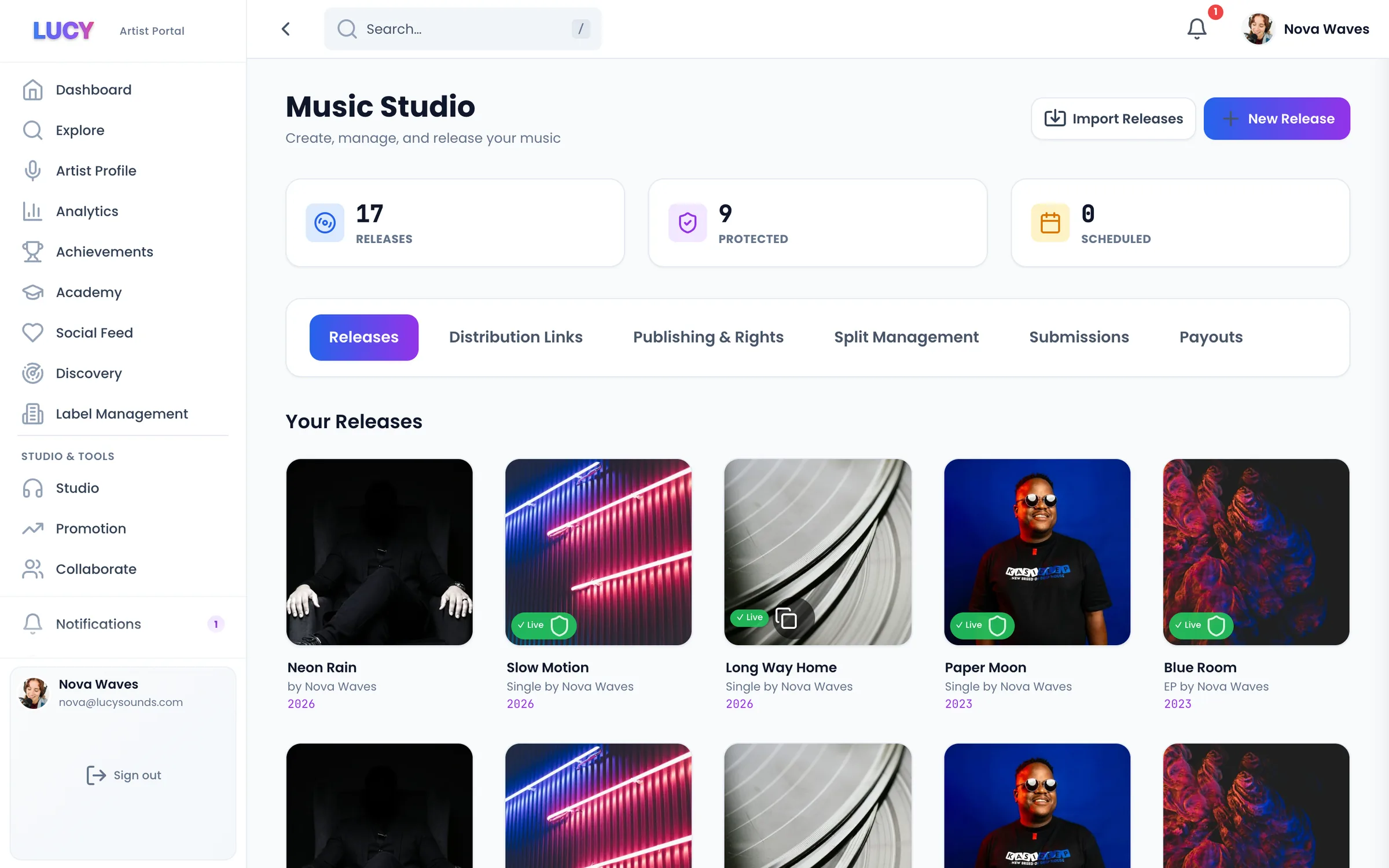
Keep your song codes

Every track has an ISRC and every release a UPC. Bring the same codes, titles, artist names and audio, and stores can match the new release to the old one. That is how plays and playlist places usually carry over. The stores decide, so no distributor can promise it.

Same ISRC and UPC codes. Same titles, artist names and audio. Stores usually keep plays and playlists

Find your released songs fast

In Studio, Import Releases finds songs that are already in stores and brings each one in as a draft, with the ISRC and UPC filled in. Check every detail against your old account, then send it.

Search by artist name or song title. ISRC and UPC filled in for you. Moving a big catalogue? Ask our team on live chat

Move in the right order

Send each release on LUCY and wait until it is live in the main stores. Only then remove it at your old distributor. That way your music never leaves the stores.

1. Send it on LUCY. 2. Wait until it is live. 3. Then remove the old version

Then keep all the money

On Pro, once your songs are on LUCY, LUCY takes 0% commission. On Pro, you keep 100% of the money your older songs earn. Pro is £8 a month and Label is £77 a month.

0% commission on older songs on Pro. One wallet for old and new. Pro £8 a month, Label £77 a month

How a move works, step by step

Before you start, open your old distributor's account and copy each release's UPC, every track's ISRC, and the exact titles and artist names. Then, in LUCY Studio, use Import Releases: it finds songs that are already in stores and brings each one in as a draft with the ISRC and UPC filled in. Check every detail against your old account and use the same audio files. Send the release, wait until it is live in the main stores, and only then remove the old version. Moving a lot of releases? Ask our team on live chat.

What happens to your plays and playlists

Stores match recordings by their ISRC and details. When the codes, titles, artist names and audio are the same, stores usually keep the plays and playlist places on the new release. They decide, not the distributor, so nobody can promise it. Some stores drop reviews when a release moves. Keep the old version live until the new one is up, so your music never leaves the stores.

Why move your catalogue to LUCY

On Pro, LUCY takes 0% commission, so you keep 100% of what your older songs earn, for £8 a month. On Free you keep 70% and can send one release a month. Your music goes to 470+ stores and apps, and you keep your masters and copyrights on every plan. If you stop paying for Pro, your music stays live on Free.

Frequently Asked Questions

Will I lose my streams if I switch?
Not if the stores match the new release to the old one. Use the same ISRCs, titles, artist names and audio; that is how plays and playlist places usually carry over. The stores decide, so no distributor can promise it.
How do I move lots of songs?
Use Import Releases in Studio: it finds your songs and brings each one in as a draft with its codes filled in. For a large catalogue, ask our team on live chat.
Will my music go offline during the move?
Not if you go in order. Get each release live on LUCY first, then remove it at your old distributor.
Why move my songs to LUCY?
On Pro, LUCY takes 0% commission, so you keep 100% of the money. Pro is £8 a month and Label is £77 a month.
Does LUCY guarantee my streams and playlists carry over?
No distributor can. Stores match releases by ISRC and details. Use the same codes, titles, artist names and audio, and stores usually keep plays and playlist places.
What steps should I follow to move my catalogue?
Copy each release's UPC and ISRCs from your old account. Use Import Releases in LUCY Studio to bring each release in as a draft, check every detail, and send it. When it is live, remove the old version.
Will my music go offline during the move?
Not if you go in order: get each release live on LUCY first, then remove it at your old distributor.